Please note that deleting your account is an irrevocable step. We cannot restore any data, images, annotations, or projects once your account has been deleted.
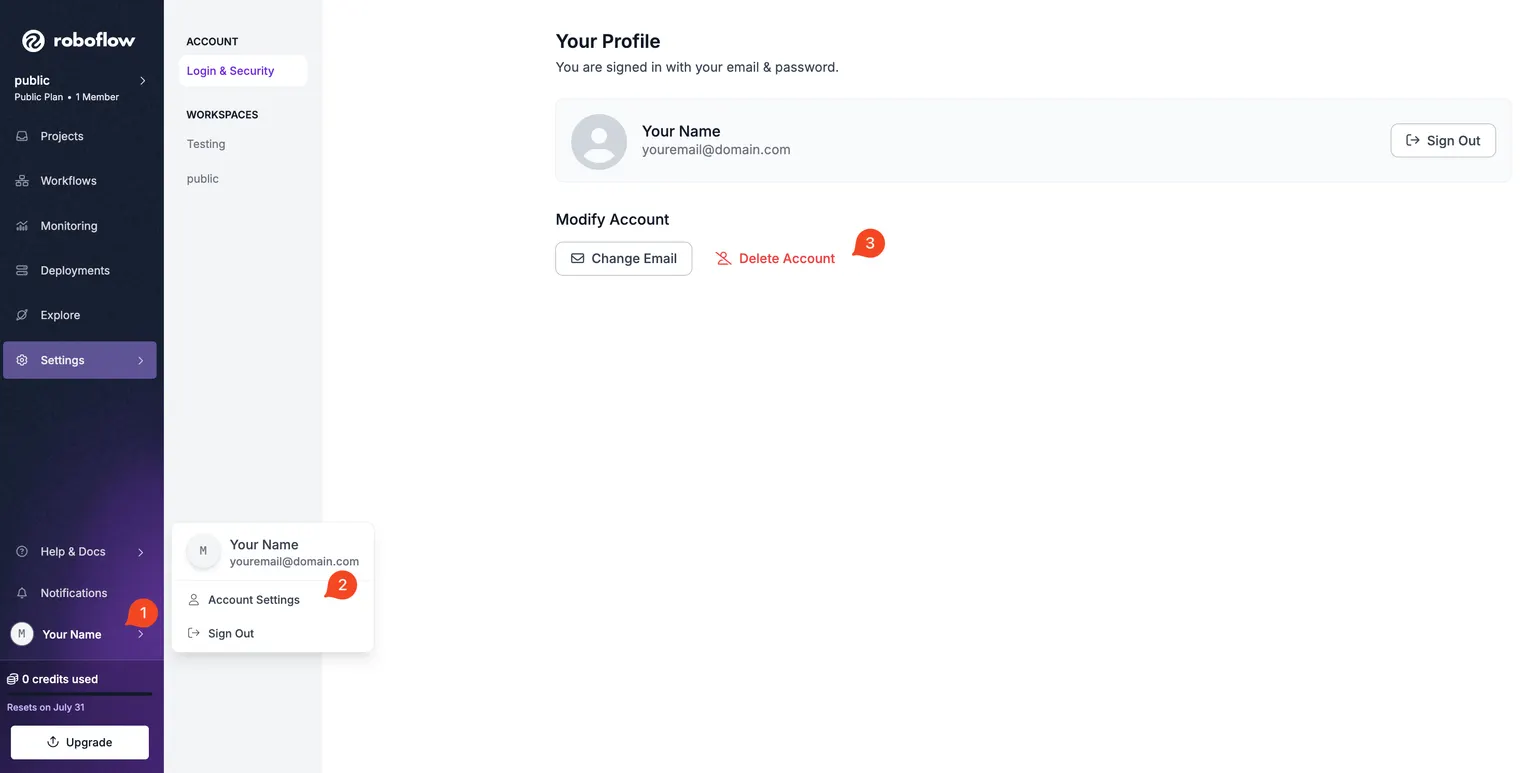
You can delete your account by going to your Account Settings. You can navigate here by:
- Clicking your name on the sidebar.
- Clicking Account Settings
On this page, click "Delete Account".
Depending on the state of your account and the workspaces you're a part of, you may be shown prompts to confirm the deletion of your data. This is to ensure that your data is not accidentally deleted.
You cannot delete your account while you are the sole owner of a Workspace on an Enterprise plan. Contact support@roboflow.com to delete that Workspace first, or add another owner to it.