You can end a training job before it finishes. Stop training early to save the current model weights. Cancel training to discard the weights.
| Stop Training Early | Cancel Training | |
|---|---|---|
| Use when | The model has converged or already meets your goals. | You do not want a model from the training job. |
| Model weights | Saved | Discarded |
| Credits | You pay for the credits used. | You may receive a refund if you cancel early in the job. A refund is not issued after many epochs. |
After either action, you can start another training job with the same dataset version.
You can also set a credit cap when you start a job, so it stops on its own once it reaches a credit limit. A cap stop keeps the model weights.
Stopping is cooperative: the job saves its weights and exits at the end of its current epoch. If a job gets stuck and never responds to the stop request, Roboflow ends it after about 8 hours. That job shows as failed instead of stopped, saves no model weights, and its credits are refunded. The same happens when Roboflow stops a job because the workspace ran out of credits and the job never responds to the stop request.
Web App
Stop Training Early
Use early stopping when the training graphs show that the model has converged or already meets your goals, but the job has many epochs left.
Click "Stop Training Early":
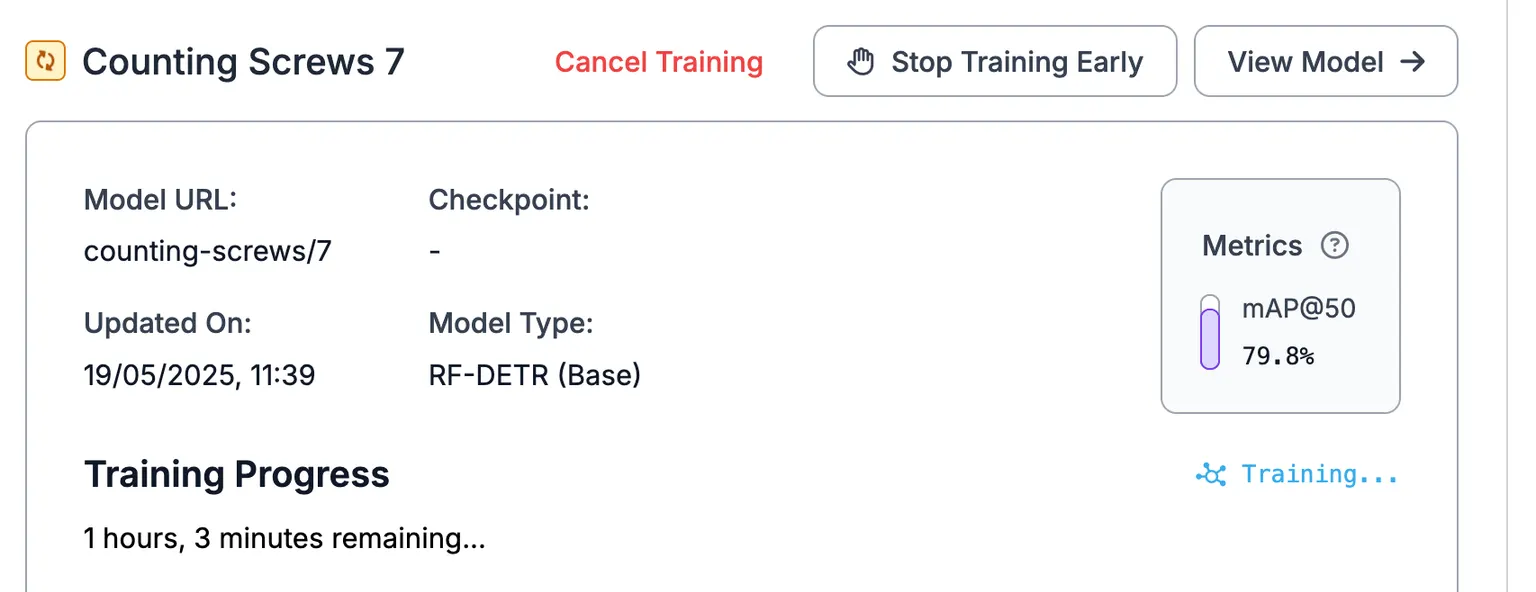
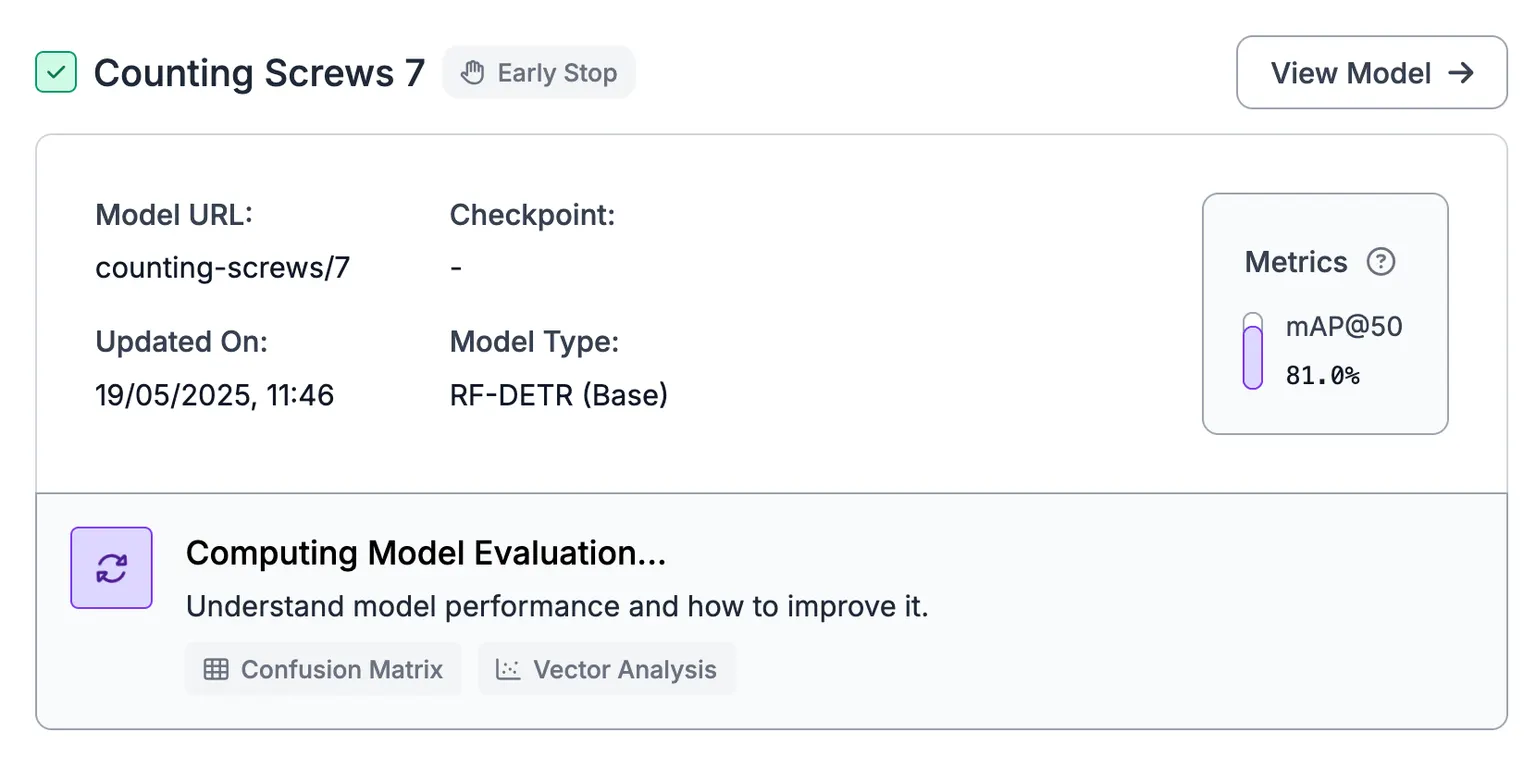
Roboflow starts preparing the current model weights. The training job shows that it stopped early:

It may take several minutes for the model to become available. A green checkmark appears next to the model name when it is ready:
For Neural Architecture Search (NAS), training may stop automatically when the model converges. The training results page shows a message when Roboflow skips the remaining epochs.
Continue Training
A job that stopped early can run more epochs from its last saved checkpoint. Open the training and click "Continue Training". This option is available for RF-DETR and YOLO models.
Roboflow keeps the checkpoint for a few days after the run ends. The button tooltip shows the date until which the training stays resumable. Once the checkpoint expires, the button turns off and you start a new training job instead.
Cancel Training
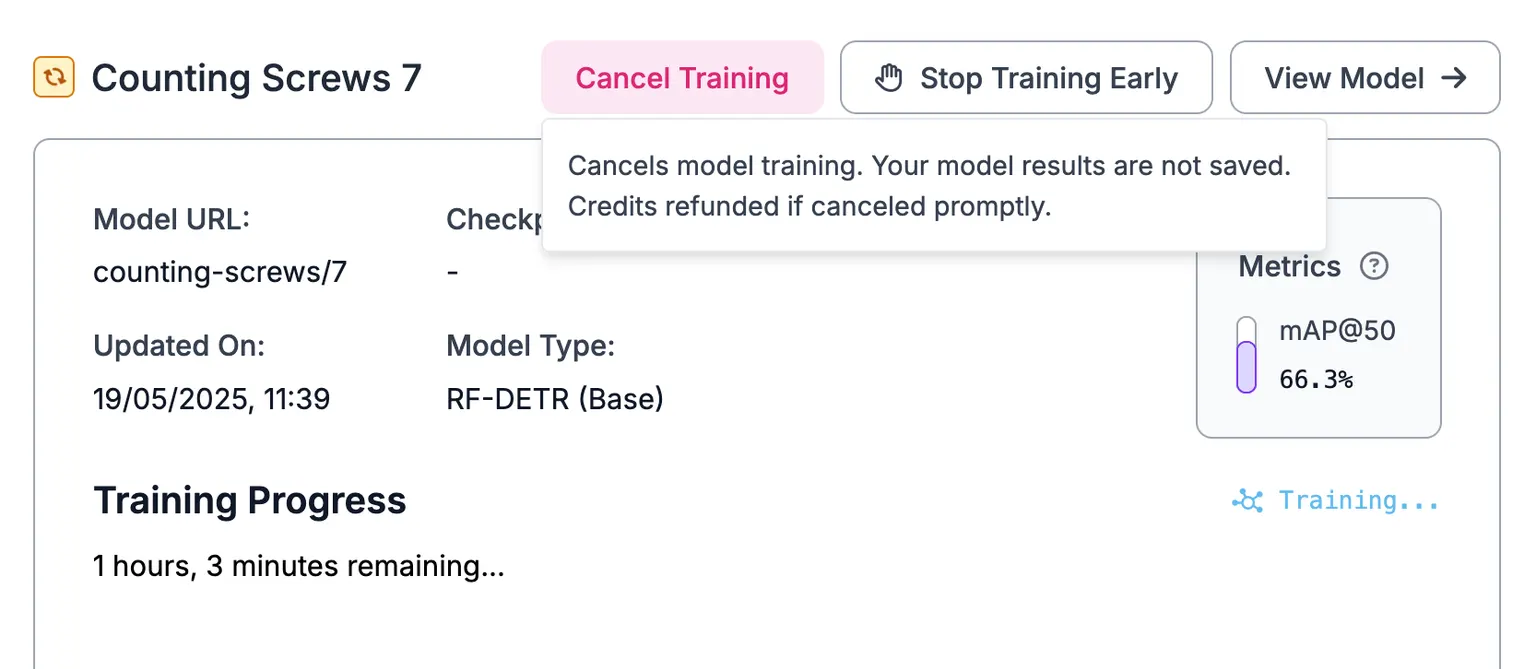
Click "Cancel Training" to stop the job and discard its model weights:
HTTP API
The calling API key must have the trainingJob:create scope.
Stop Training Early
Request an early stop for a running training job:
POST https://api.roboflow.com/:workspace/:project/:version/train/stopcurl "https://api.roboflow.com/my-workspace/my-detector/3/train/stop?api_key=$ROBOFLOW_API_KEY" \
-X POST \
-H "Content-Type: application/json" \
-d '{}'The endpoint is idempotent. It returns success if the job has already stopped.
{
  "success": true
}
Cancel Training
Cancel a queued or running training job:
POST https://api.roboflow.com/:workspace/:project/:version/train/cancelcurl "https://api.roboflow.com/my-workspace/my-detector/3/train/cancel?api_key=$ROBOFLOW_API_KEY" \
-X POST \
-H "Content-Type: application/json" \
-d '{}'{
"success": true
}Cancel is not idempotent. If the job has finished or has already been canceled, the endpoint returns 409 Conflict:
{
  "error": {
    "type": "Conflict",
    "message": "Cannot cancel non-running train job.",
    "code": "CANNOT_CANCEL"
  }
}
MCP Server
Connect your AI agent to the MCP Server and it can stop a training run with these tools:
| Tool | Description |
|---|---|
trainings_stop | Request an early stop. The run finishes its current phase instead of ending at once. |
trainings_cancel | Cancel an in-flight training run. |
trainings_get | Get a training's status, produced models, and metrics. |