Grounding DINO is an open-vocabulary object detector. You pass an image and a list of text classes, and the model returns bounding boxes for matching regions without any training.
Grounding DINO is not available on the Serverless Cloud API. Run it on a Dedicated Deployment or self-hosted Inference.
Grounding DINO API
Get your API Key
Create a Roboflow account, find your key on the Roboflow API settings page and make it available to your shell:
export ROBOFLOW_API_KEY="your-key-here"Install the dependencies
These packages call the API and draw its results:
pip install -U requests supervision opencv-pythonRun the model
Set URL to your Dedicated Deployment URL or a local Inference server.
import base64
import os
import cv2
import numpy as np
import requests
import supervision as sv

URL = "https://your-deployment.roboflow.cloud"
image = sv.load_image_from_url("https://media.roboflow.com/notebooks/examples/dog.jpeg")
_, buffer = cv2.imencode(".jpg", image)
image_base64 = base64.b64encode(buffer).decode("utf-8")

response = requests.post(
    f"{URL}/grounding_dino/infer",
    json={
        "api_key": os.environ["ROBOFLOW_API_KEY"],
        "image": {"type": "base64", "value": image_base64},
        "text": ["dog", "person", "backpack"],
    },
)
preds = response.json()["predictions"]

xyxys = [
    [p["x"] - p["width"] / 2, p["y"] - p["height"] / 2,
     p["x"] + p["width"] / 2, p["y"] + p["height"] / 2]
    for p in preds
]
detections = sv.Detections(
    xyxy=np.array(xyxys, dtype=float),
    class_id=np.array([p.get("class_id", 0) for p in preds]),
    confidence=np.array([p["confidence"] for p in preds], dtype=float),
    data={"class_name": np.array([p["class"] for p in preds])},
)
labels = [f"{p['class']} {p['confidence']:.2f}" for p in preds]
annotated = sv.BoxAnnotator().annotate(image.copy(), detections)
annotated = sv.LabelAnnotator().annotate(annotated, detections, labels=labels)
cv2.imwrite("dog_annotated.png", annotated)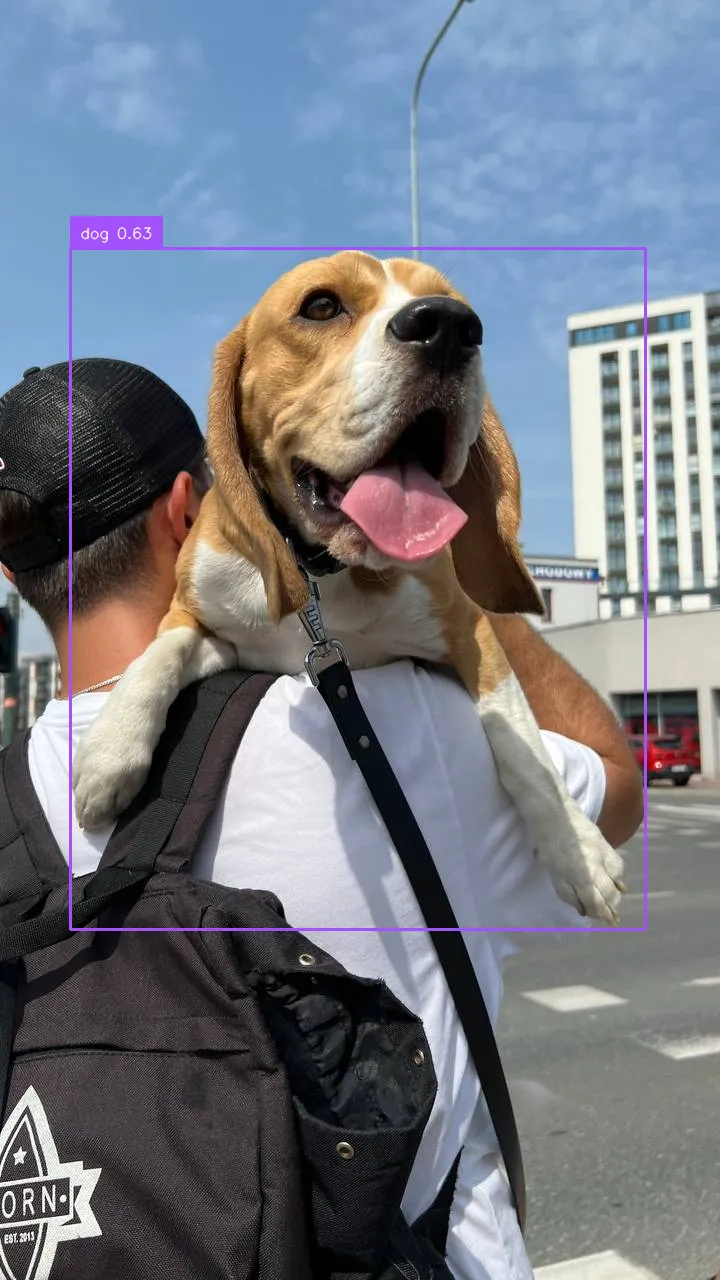
Grounding DINO inference speed
Latency measured with Roboflow Inference on 1x NVIDIA L4, batch size 1, mean after warmup.
| Model | Latency (ms) |
|---|---|
grounding-dino | 165.4 |
Measured with two text prompts.
Set URL to match your deployment target:
http://localhost:9001for a local Inference server.- Your Dedicated Deployment URL for a private endpoint.
Run Grounding DINO with self-hosted Inference
You can also load Grounding DINO directly into your own Python process with the inference package, skipping the HTTP hop entirely.
Install the package
pip install "inference[grounding-dino]"Run the model
from inference.models.grounding_dino import GroundingDINO

model = GroundingDINO(api_key="YOUR_API_KEY")

results = model.infer(
    {
        "image": {
            "type": "url",
            "value": "https://media.roboflow.com/fruit.png",
        },
        "text": ["apple"],
        # Optional thresholds, both default to 0.5
        "box_threshold": 0.5,
        "text_threshold": 0.5,
    }
)

print(results)
Replace apple with the objects you want to detect, and tune box_threshold and text_threshold for your use case. See the Grounding DINO README for an explanation of the thresholds.
Grounding DINO is most effective on common objects (cars, people, dogs). It is weaker on narrow, fine-grained categories, so experiment with prompt wording. A common pattern is to use Grounding DINO to auto-label data, then train a smaller, faster detector on the result.